
RTD Simulation Passed? Define What the Test Actually Verified
An RTD simulation check can pass while a temperature loop still gives the wrong process reading. The apparent contradiction disappears when the test boundary is clear: a simulated resistance checks the equipment that reads it, while the replaced probe and any bypassed field wiring remain outside that test.
For maintenance teams, the practical answer is to record exactly where the simulated signal entered, which components stayed connected, and which acceptance criteria were applied. A worksheet marked only “temperature calibration passed” can conceal a substantial gap. This guide explains that gap and how to specify evidence for a three-wire Pt100 loop.
Separate the three questions
First, does the input or transmitter interpret a known RTD signal correctly? Second, does the actual probe follow its specified resistance–temperature characteristic? Third, does the assembled installation represent the process temperature required by the application? These questions need different evidence. Passing one does not automatically answer the others.
Fluke’s temperature-calibration guidance distinguishes electronic simulation from applying a known temperature to the sensor. A simulator substitutes an electrical signal for the sensing element. A suitable thermal comparison includes the probe, a stable temperature source and an appropriate reference. Even a successful probe comparison does not, by itself, demonstrate that the installed location is representative.
Name the boundary before choosing the test
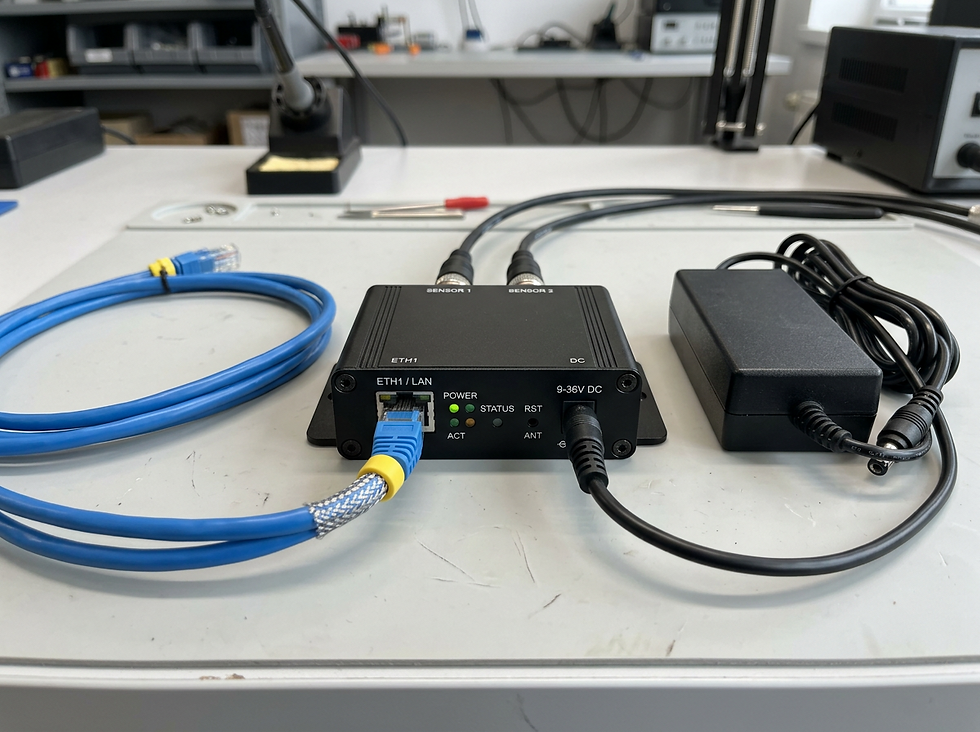
An RTD interface such as an ACREL BM100-TR can sit between a Pt100 and an analogue input. The BM100 family includes different inputs, outputs, supplies and channel arrangements; identify the full ordered model and its documentation before preparing a test. The catalogue photograph below illustrates the interface stage, not a complete calibrated system or a recommended terminal connection.

A simulation applied at a transmitter input can assess that transmitter and whichever downstream stages are observed. It excludes a probe and cable disconnected at that point. A simulation applied at an accessible field termination may include more field cable, but still excludes the removed probe. An injected current signal at the PLC excludes the upstream RTD-to-current conversion too. Write these boundaries on the record rather than relying on the instrument tag alone.
Three-wire compensation has an assumption
A Pt100 is a resistance sensor; its readout supplies excitation and interprets the resulting signal. Three-wire measurement compensates for lead resistance using a circuit that depends on sufficiently matched lead paths. Texas Instruments’ RTD measurement guide shows why equal lead resistance matters, while Analog Devices explains how lead and excitation-current mismatches can contribute different errors.
Equal wire count is therefore insufficient evidence. Cable extensions, unlike conductors and connection resistance can make the installed circuit different from a short, tidy simulation setup. The actual effect depends on the input topology and its published limits. Do not assume every transmitter uses the same cancellation circuit or that every third conductor is interchangeable.
A hypothetical mismatch worth investigating
Consider an illustrative Pt100 loop near 0 °C. Assume the relevant lead-path imbalance leaves 0.195 Ω of residual resistance in the particular measurement circuit. Using an approximate local sensitivity of 0.39 Ω/°C gives an error magnitude of about 0.195 ÷ 0.39 = 0.5 °C. The sign depends on the circuit and which path has the additional resistance.
This is a screening calculation, not a BM100 specification, a measured fault or a universal three-wire error formula. Use the exact input’s documentation and the sensor’s resistance table for real calculations. The Pt100 relationship is not perfectly linear across its range. The example simply shows how a small imbalance could matter against an application tolerance even though a directly connected simulator gives acceptable results.
Build an acceptance record that can be audited
1. Define the requirement: operating range, permissible system error and the decision rule for accepting results with measurement uncertainty. Keep display resolution separate from accuracy.
2. Identify the equipment: probe type and curve, wire configuration, transmitter model and range, input channel, displayed units and the instruments used as references. Record calibration status and relevant configuration versions.
3. Draw the included path: state the injection or comparison point and list every excluded component. For a thermal comparison, record the source, reference, stabilisation criteria and probe arrangement. For simulation, confirm compatibility with the input’s excitation and wiring method.
4. Preserve evidence: retain as-found readings before adjustment, the applied points and observed results, any corrective work, and as-left readings. Explain what remains unverified. A good record allows the next technician to reproduce the scope without guessing.
Avoid fixing an unknown error with an offset
A single display correction can hide several causes. Lead imbalance, probe error, configuration mismatch and installation effects do not necessarily behave alike over temperature or after a sensor replacement. Investigate the cause before approving an adjustment; then verify the relevant range and document the resulting limitations.
Testing may disturb alarms, heating, refrigeration or other controlled equipment. This article is a planning guide, not a live-work or process-isolation procedure. Competent people must assess electrical and process hazards and use the applicable site procedures and equipment manuals. Generic transmitters and a passed simulation check do not establish a certified safety function.
For the next maintenance job, ask for two clearly separated outcomes: what the input simulation verified, and what evidence supports the probe and installed measurement. Send the model details, existing results and required tolerance for review before replacing hardware or accepting the loop.
Sources and equipment documentation
Need help with your application?
For instrument enquiries, visit ProSense Instruments, email sales@prosenseinstruments.com.au or call 1800 560 854. Include the probe, transmitter and input model details, required tolerance and existing test results.
For monitoring and automation projects, visit ProSense Solutions or email sales@prosense.com.au.
For software enquiries, visit ProSight Software or email info@prosightsoftware.com. Device and protocol integration must be confirmed for your application.

Comments