
Planning an Industrial Data Logging System with Reliable Sensors and Recovery
Updated: 5 days ago
A data logger does not create good data by itself. It records what the system gives it, at the rate it is told to record, for as long as storage and power allow. If the sensors are wrong, the sampling rate is too slow, or the clock drifts, the final report may look clean while telling the wrong story.
Planning an industrial data logging system starts before any hardware is installed. The first questions are simple but easy to rush:
What needs to be measured?
How quickly does it change?
How accurate does the record need to be?
Who needs the data, and in what format?
What should happen when power, communications, or sensors fail?
Answer those well, and the system becomes easier to specify, install, test, and trust.

Start with the measurement, not the logger
The best data logging plans begin with the process variable. Hardware selection comes later.
A temperature trend in a slow curing oven does not need the same approach as vibration on a high-speed motor. A tank level that changes over hours can use a different logging interval than a pressure pulse that lasts less than a second.
Before choosing inputs or storage settings, define the purpose of each measurement. Common goals include:
Proving that a process stayed within limits
Finding the cause of intermittent faults
Measuring energy use
Tracking machine performance
Supporting quality records
Sending alarms before damage occurs
Each goal changes the design. A compliance record may need clean timestamps, secure retention, and easy export. Troubleshooting may need faster samples for a short period. Alarm monitoring may need reliable delivery paths more than long-term storage.
A useful planning worksheet should list each point with these details:
Measurement | Typical input type | Key planning question |
Temperature | Thermocouple, RTD, transmitter | Where is the sensor mounted, and how quickly must it respond? |
Pressure | 4-20 mA transmitter, digital sensor | Are fast spikes important or only average pressure? |
Flow | Pulse, analog, digital bus | Does the system need totalized volume, rate, or both? |
Level | Ultrasonic, radar, pressure, float | Will foam, turbulence, or buildup affect the reading? |
Vibration | Accelerometer | Is the logger fast enough for the fault being investigated? |
Status | Digital input | Does the system need state changes, run time, or event counts? |
This step also helps separate “nice to have” points from critical points. Extra channels add wiring, configuration time, memory use, and maintenance. Record what will be used.
Match sensor inputs to the actual signal
Industrial sites often use a mix of sensor types. A good logger can support many of them, but each input needs the correct electrical and configuration setup.
Common input types include:
Analog current inputs Most often 4-20 mA. These are common for transmitters because they handle long cable runs well and can show some fault conditions.
Analog voltage inputs Useful for some instruments, but more sensitive to voltage drop and electrical noise over distance.
Thermocouple inputs Good for wide temperature ranges. They need correct thermocouple type selection and cold junction compensation.
RTD inputs Well suited when accuracy and stability matter. Wiring style, such as 2-wire, 3-wire, or 4-wire, affects accuracy.
Pulse inputs Often used for flow meters, energy meters, and counters. The logger must handle the pulse frequency and debounce needs.
Digital inputs Good for machine status, alarms, door switches, and run signals.
Digital communications Protocols such as Modbus are common for pulling values from drives, meters, PLCs, and smart instruments.
Do not treat input compatibility as a checkbox. Confirm the full scale range, units, fault behavior, wiring method, isolation needs, and update rate. For example, a pressure transmitter may output 4 mA at 0 psi and 20 mA at 300 psi. If the logger is scaled for 0 to 500 psi by mistake, every recorded value will be wrong even though the trend looks stable.
Noise also matters. High-current motor cables, variable frequency drives, contactors, and grounding problems can distort low-level signals. Use shielded cable where needed, separate signal wiring from power wiring, and follow grounding guidance from the device maker.

Place sensors where the reading means something
A sensor records conditions at its location, not the average condition of the whole process. Placement can make a correct sensor produce misleading data.
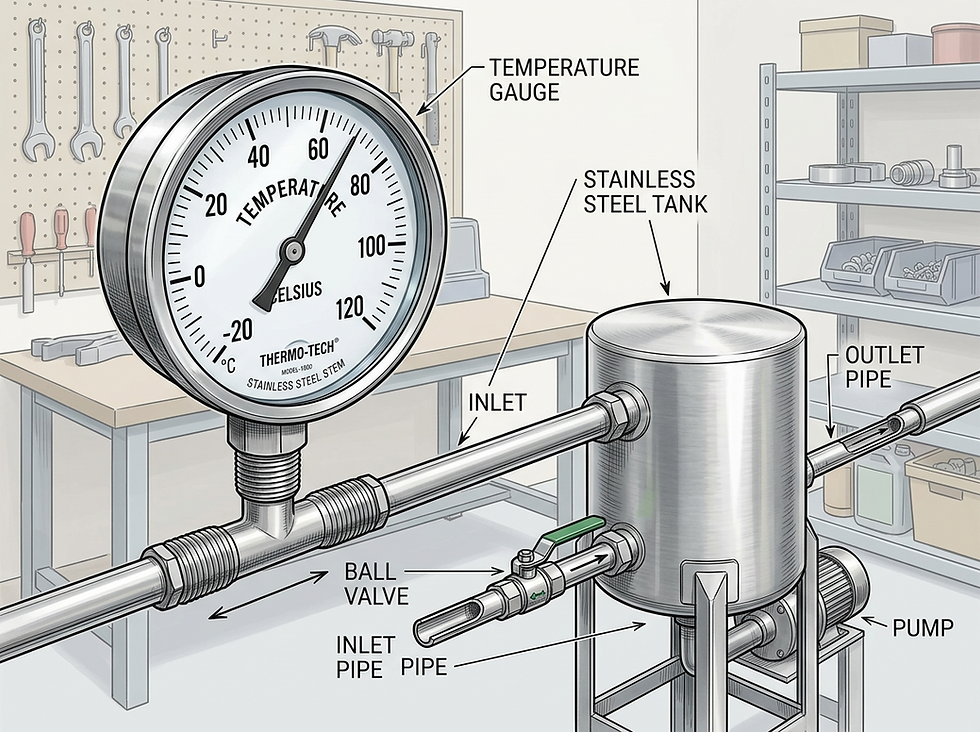
For temperature, a probe near a door, heater, cooling fan, or steam jacket may not represent the product temperature. A surface-mounted sensor on a pipe will usually lag behind the fluid temperature inside the pipe. A sensor in still air may respond much slower than one in moving air.
For pressure, placement near pumps, valves, elbows, or restrictions can change the reading. Pulsation can make a pressure trend look unstable. If the goal is to monitor supply pressure to equipment, install the sensor where that pressure matters, not only where it is easy to mount.
For level, foam, splashing, vapor, dust, condensation, and vessel shape can affect readings. A sensor that works during normal filling may fail during cleaning, agitation, or extreme low level.
Good placement planning includes:
The physical point being measured
Expected normal range
Expected fault range
Response time required
Environmental conditions around the sensor
Access for maintenance and calibration
Risk of damage from heat, washdown, vibration, or impact
When possible, compare a new sensor reading with a trusted reference during commissioning. The goal is not just to see a number change. The goal is to prove that the recorded value represents the process condition that matters.
Choose sampling rates based on how fast the process changes
Sampling rate controls how often the logger reads the signal. Storage interval controls how often it saves a value. These are related, but they are not always the same.
A logger might sample a pressure signal every 100 milliseconds, calculate an average every second, then store a one-minute average. That can be useful for trends, but it can hide short spikes unless minimum and maximum values are also stored.
Slow sampling can miss fast events. If a pump pressure spike lasts two seconds and the logger samples once per minute, the spike may never appear. The record may show normal pressure even if the system briefly exceeded a safe limit.
Fast sampling creates its own problems. It increases storage use, export size, battery drain, and review time. Very fast logging can produce huge files that are hard to analyze unless there is a clear reason for that level of detail.
A practical approach is to separate the data needs:
Use case | Sampling approach | Storage approach |
Compliance temperature record | Slow to moderate sampling | Store average, minimum, and maximum at set intervals |
Fault troubleshooting | Faster sampling during test window | Store raw or near-raw values for later review |
Energy monitoring | Moderate sampling | Store totals and interval demand |
Alarm monitoring | Sample fast enough to catch the unsafe condition | Store events with timestamps and alarm state |
Machine status | Detect state changes quickly | Store change events and run time totals |
For many industrial processes, the right answer is a mix of trend data and event data. Trend data shows what happened over time. Event data shows when something changed.
Set storage intervals and retention rules before the memory fills
A logging system needs a clear plan for how long data stays available. This includes data stored locally on the logger, data sent to a server, and exported files saved for records.
Retention depends on the purpose of the data. A short troubleshooting job may only need a few days of high-speed data. A quality record may need months or years, depending on internal rules, customer requirements, or regulatory needs.
Plan these items before deployment:
How often values are stored
Whether the logger stores raw values, averages, minimums, maximums, or totals
How long local storage lasts at the chosen interval
What happens when memory is full
How often data is transferred off the device
Who can delete or overwrite data
Where backups are kept
Avoid relying on manual downloads for critical records unless the process is tightly controlled. If someone forgets to pull the file, the data may be overwritten. Automated export or scheduled transfer reduces that risk, but only if communication recovery is tested.
File size also shapes usability. A one-year record at one-second intervals may be technically possible, but the export may be awkward to open, filter, or share. For long records, interval summaries often work better than raw high-speed data.
Make timestamps trustworthy
Timestamps are the backbone of useful logged data. Without reliable time, it becomes hard to match a trend to a batch, fault, alarm, operator action, or maintenance event.
A timestamp plan should cover:
Clock source
Time zone
Daylight saving behavior
Format used in exports
Synchronization schedule
Behavior after power loss
Treatment of missed or duplicated records
Use a stable time source where possible. Many systems sync to a network time source. Remote systems may use cellular, GPS, or periodic server sync. Standalone loggers need a clear process for checking and correcting clock drift.
Use one time convention across the system. Mixed local time, UTC, and unsynchronized device clocks can create confusion during analysis. If the site uses local time in reports, make sure exports show the time zone clearly.
Timestamps should also be included in alarms and events, not only trend values. A logged alarm without a precise time is much less useful when investigating what happened.
Plan export formats around the person using the data
Data only helps if people can use it. Export format should match the tools and workflows that will read the file.
Common export formats include:
CSV Simple, widely supported, and easy to open in spreadsheet tools. Good for many reports and manual analysis.
JSON Useful for systems that exchange data with applications, web services, or databases.
XML Still used in some enterprise and regulated systems, though it can be harder to read by hand.
PDF reports Good for sharing a fixed record, but poor for analysis unless the source data is also available.
Database export Useful when many points and long histories need search, filtering, and reporting.
For CSV exports, define column names, units, timestamp format, decimal marks, and missing value behavior. A file with columns named `AI_01` and `AI_02` may be clear to the installer but useless to someone reviewing records six months later.
Use plain names where possible, such as `Oven Zone 1 Temperature F` or `Cooling Water Pressure psi`. Include units in either the column name or a separate metadata field.
Test alarms before trusting them
An alarm is not reliable just because it appears on a setup screen. Test each alarm path under real conditions.
Alarm testing should prove:
The sensor detects the condition
The logger recognizes the alarm state
The alarm uses the correct threshold and delay
The notification reaches the right destination
The message identifies the point and condition clearly
The alarm clears correctly
The event is recorded with the right timestamp
Delivery methods can include local lights, horns, email, text message, app notification, relay output, SCADA message, or PLC input. Each path has failure modes. Email can be delayed. Cellular service can drop. A relay contact can be wired to the wrong input. A horn can be silenced and forgotten.
Avoid nuisance alarms by using reasonable delays and deadbands. A temperature signal that hovers around a limit can create repeated alarms if the system has no reset band. At the same time, do not add so much delay that a short but dangerous condition slips through.
A good alarm message should say what happened and where. “High temperature at Oven Zone 2” is far better than “Alarm 14.”
Prove recovery after power and communication failures
Power interruptions and network failures are normal industrial events. A logging system should handle them in a predictable way.
Test power recovery, not just normal operation. Shut down the logger safely, then restart it. Confirm that it returns to logging without manual steps. Check that the clock is still correct, the configuration remains in place, and the file contains a clear gap or event record.
For battery-backed systems, test what happens when battery voltage drops. Confirm whether the logger shuts down cleanly, preserves memory, and restarts correctly.
Communication recovery needs the same attention. Disconnect the network or cellular link, then restore it. Confirm that stored data transfers after reconnection. If the system sends alarms, test whether alarms created during the outage are queued, sent late, or dropped. The answer affects how much risk the site carries during an outage.

Commission the system with proof, not assumptions
Commissioning should create evidence that the system works as planned. Keep a record of settings, tests, and results.
A practical commissioning checklist includes:
Confirm every channel name and unit
Compare sensor readings with a known reference where possible
Verify scaling for analog inputs
Confirm sampling and storage intervals
Check available storage at expected data rates
Confirm timestamp accuracy
Test normal export
Test alarm trigger and alarm clear
Test power loss and restart
Test communication loss and recovery
Confirm who receives alarms and reports
Save the final configuration file
After the first few days of operation, review the data. Look for flat-lined sensors, noisy signals, missing records, wrong units, time gaps, and values that do not match the process. Early review catches small errors before they become long-term record problems.
The best logging system is planned like a process instrument
A reliable data logging system is not only a box with memory. It is a chain of decisions: sensor type, sensor location, wiring, sampling, storage, timestamps, alarms, exports, power backup, and recovery behavior.
Start with the measurement and the reason for recording it. Choose inputs that match the real signal. Place sensors where the reading represents the condition that matters. Set sampling and storage based on how fast the process changes. Then test the hard parts before relying on the record.
Good data logging does not happen by accident. It comes from clear planning, careful installation, and proof that the system keeps working when conditions are less than perfect.
Need help with your application?
ProSense Instruments — explore instruments, sensors, data loggers and test equipment.
ProSense Solutions — discuss complete monitoring and automation systems.
ProSight Software — explore cloud dashboards, alarms and reporting. Device integration must be confirmed for your application.
Instrument enquiries: sales@prosenseinstruments.com.au | 1800 560 854
Project enquiries: sales@prosense.com.au. Software enquiries: info@prosightsoftware.com.


Comments