
From Reactive to Condition-Based Facility Maintenance with Wireless Sensor Data
Updated: 2 days ago
A failed pump rarely fails at a convenient time. A freezer does not wait until the morning shift to drift out of range. A roof leak does not announce itself before it reaches a ceiling tile.
That is why reactive maintenance feels so costly. The team responds after the fault has already created disruption. The work is urgent, the cause is not always clear, and the inspection route keeps growing because nobody wants to miss the next problem.
Wireless sensor data changes that pattern. Instead of treating every asset, room, and site as equally urgent, facility teams can use live condition data to decide what needs attention first. Platforms such as Monnit make this practical by connecting wireless sensors to monitored equipment, environmental spaces, and building assets, then sending readings to a central system.
The shift does not need to happen all at once. Many teams start with simple threshold alerts. Over time, the same data can support trend reviews, maintenance triggers, and multi-site reporting. That progression is where condition-based maintenance starts to replace guesswork.
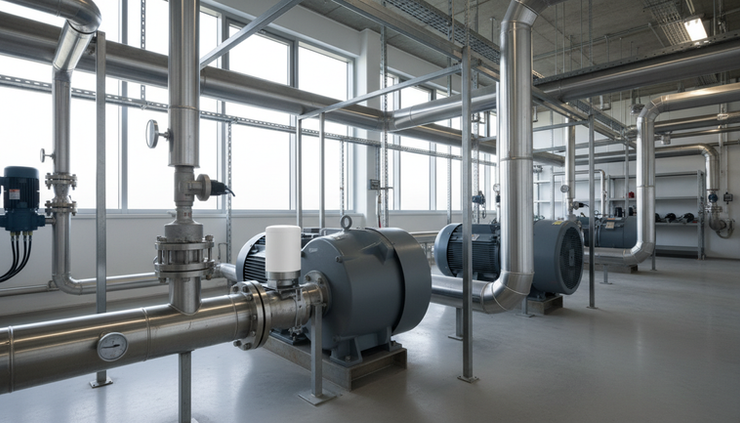
Reactive maintenance hides the early warning signs
Reactive maintenance is sometimes unavoidable. Parts wear out. Weather creates damage. People leave doors open, trip breakers, or overload circuits. A good maintenance team will always need to respond fast when something breaks.
The problem starts when reactive work becomes the default operating model.
In that mode, priorities often come from:
The loudest complaint
The newest work order
The most recent inspection finding
The asset with the most visible failure
A fixed checklist that treats all sites the same
This can create a false sense of control. A team may complete every scheduled round and still miss a condition that changed between visits. A refrigerator might hold temperature during a morning inspection, then exceed its limit overnight. A sump area might be dry on Monday, then flood after a storm. A motor might run normally during a walk-through, while vibration slowly increases over several weeks.
Manual inspections are still valuable. They catch visible wear, unusual sounds, odours, access issues, and safety hazards. But they only show what is happening at the moment someone is nearby.
Wireless sensor data fills the gaps between visits. It gives the team a continuous view of the conditions that matter most, even across closed rooms, remote buildings, or assets that run outside normal hours.
Start with threshold alerts that reduce guesswork
The easiest starting point is a threshold alert. A sensor measures a condition. The system compares the reading with a chosen limit. If the reading crosses that limit, the right person gets notified.
That sounds simple because it is. It is also useful.
Common facility examples include:
Temperature sensors in cold storage, server rooms, laboratories, or plant areas
Humidity sensors in archive rooms, storage spaces, and damp-prone areas
Water detection sensors near boilers, sump pits, risers, drains, and under sinks
Open and closed sensors on plant room doors, cabinets, gates, and refrigerators
Current or power sensors on equipment that must run at set times
Vibration sensors on pumps, motors, fans, and other rotating equipment
A threshold alert turns a hidden condition into a maintenance event. The team no longer needs to discover the issue during the next round or hear about it through a complaint.
For example, a facility team may set an alert if a mechanical room rises above an acceptable temperature. That alert does not automatically diagnose the cause. It might be a ventilation issue, an equipment load issue, or a door left open. But it tells the team where to look and when the condition changed.
The same logic applies to water detection. A sensor placed near a known risk area can send an alert when water is present. That gives the team a chance to inspect before the issue spreads into tenant areas, stored materials, or electrical equipment.
Thresholds work best when they are tied to real operational risk. A freezer temperature limit is different from a warehouse comfort limit. A small amount of vibration on one pump may be normal, while the same reading on another asset may need review. The goal is not to create alerts for every small change. The goal is to catch conditions that deserve a response.
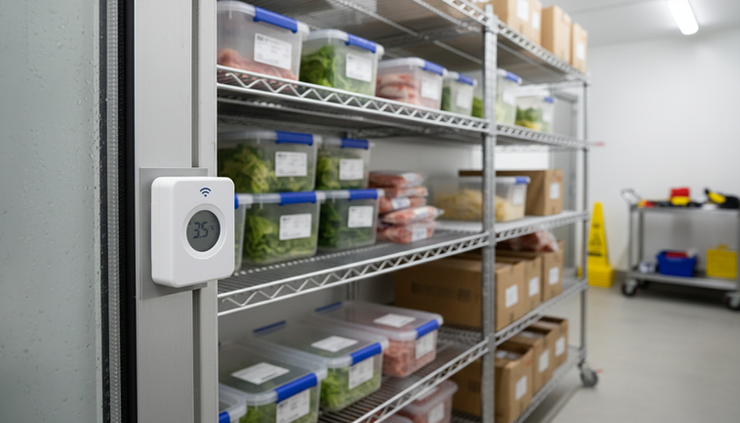
Move from single alerts to trend awareness
Thresholds answer one question: did the condition cross a line?
Trends answer a better question: is the condition moving in the wrong direction?
That difference matters. Many equipment problems do not appear as sudden failures. They develop slowly. Temperature creeps upward. Humidity rises after seasonal changes. Runtime increases. A pump cycles more often. Vibration becomes less stable. A door is opened more frequently than expected.
A single reading may look harmless. A pattern can tell another story.
Trend monitoring helps teams spot:
Repeated near-misses before an alert threshold is crossed
Gradual condition changes that suggest wear or poor performance
Differences between similar assets or rooms
Seasonal patterns that affect building systems
Recurring problems after repairs
Take a cold room as an example. If it briefly reaches an upper temperature threshold, the team receives an alert and checks the situation. That is useful. But if the data also shows the cold room has been running warmer each week, the team can plan a more informed inspection. The issue may point to door seals, blocked airflow, refrigerant concerns, a control setting, or increased use.
A similar pattern can happen with humidity. A storage area may remain below the alert limit, yet trend upward after changes to ventilation, occupancy, or weather. A trend report gives the team time to investigate before mould risk, material damage, or occupant complaints appear.
Wireless sensor data also helps separate one-off events from repeat faults. A short temperature spike after a door opening may not need a callout. A spike at the same time every day may point to a process issue. A long recovery time after each spike may point to equipment strain.
This is where teams begin to prioritise inspections based on actual equipment conditions rather than fixed assumptions. A room with stable readings may stay on its normal inspection cycle. A similar room with worsening readings moves higher on the list.
Turn condition data into maintenance triggers
Once a team trusts its sensor readings and trends, it can create maintenance triggers. These are not just alerts. They are rules that connect conditions to specific follow-up actions.
A trigger might say:
Inspect a pump if vibration exceeds a chosen level for a set period
Check a drain or sump area if water is detected
Review refrigeration equipment if temperature recovery takes too long
Replace a filter if pressure or airflow-related readings suggest restriction
Investigate a door if open events increase outside normal operating hours
Check backup equipment if power status changes unexpectedly
The trigger should match the risk and the asset. A critical asset may prompt an urgent inspection after a single high-risk reading. A lower-risk asset may need a trend over several readings before a work order is created.
This is the heart of condition-based maintenance. Work is scheduled because the asset condition supports it, not simply because a calendar says it is time or because the asset has already failed.
Reactive approach | Condition-based approach |
Inspect after a complaint or failure | Inspect when sensor data shows a condition change |
Treat every asset on the route the same | Focus effort on assets showing risk |
Use fixed intervals even when conditions are stable | Adjust inspection timing based on readings and trends |
Rely on memory and notes from past visits | Review time-stamped data before attending |
Spend time finding the problem | Arrive with a clearer idea of where to look |
Good triggers reduce wasted effort. They also make maintenance handoffs cleaner. Instead of writing “check unit,” the work order can include the condition that caused the task, the time it began, and the recent readings.
That context matters for technicians. It helps them prepare the right tools, parts, and safety steps before they arrive. It also helps supervisors review whether the repair changed the condition afterwards.

Use wireless monitoring without overwhelming the team
Sensor programmes can fail when they create too much noise. If every small deviation becomes an urgent alert, people start ignoring notifications. The system then becomes another inbox rather than a maintenance tool.
A practical rollout starts small and improves over time.
Choose assets where early warning has clear value. Cold storage, leak-prone areas, remote plant rooms, critical pumps, and hard-to-access equipment are good candidates. These are places where a missed condition can create cost, safety issues, compliance concerns, or service disruption.
Set initial thresholds with care. Use manufacturer guidance, internal standards, legal requirements where they apply, and the team’s operating experience. Then review the alerts after a few weeks. If alerts are too frequent and low value, adjust the settings or add time requirements. For example, a temperature reading may need to stay out of range for a certain period before it triggers action.
Group alerts by severity. Not every notification needs the same response.
A simple model might include:
Critical conditions
Immediate response, because asset failure, safety risk, product loss, or building damage is possible.
Warning conditions
Inspection needed soon, because the data shows drift or early signs of trouble.
Information events
Logged for review, because the reading may help explain later patterns.
Monitor the outcome of each alert. Did the team find a real issue? Did the reading return to normal after repair? Did the same condition happen again? This feedback improves the rules and makes the system more reliable.
Monnit-style wireless deployments are useful here because they can be placed where wired monitoring is difficult or expensive. Wireless sensors can often be added without major disruption, which makes it easier to test a pilot area before expanding across more assets.
Build a clearer picture across multiple sites
The value of wireless monitoring grows when a team manages more than one building. Multi-site maintenance often suffers from uneven visibility. One site may have a diligent local contact. Another may report issues late. A third may have older equipment but fewer complaints, simply because fewer people notice the problems.
Central reporting helps bring those sites into the same view.
With consistent sensor types and naming, a team can compare:
Temperature performance across similar refrigeration units
Water detection events by building or floor
Equipment runtime across sites
Door activity outside normal hours
Humidity trends in storage or archive areas
Repeated alerts after recent repairs
This improves planning. If three sites show rising mechanical room temperatures during the same season, the team can look for common causes. If one site has far more leak alerts than the rest, it may need a drainage review, pipework inspection, or changes to local routines. If one asset type shows similar trend patterns in several places, spares planning may become easier.
Multi-site reports also help managers explain maintenance priorities. Instead of saying one site “feels risky,” they can show repeated events, trend lines, and response history. That makes it easier to justify budget, schedule planned downtime, or change inspection intervals.
Keep people at the centre of the process
Condition-based maintenance is not a replacement for skilled technicians. It makes their time more valuable.
A sensor can report that a pump is vibrating more than expected. It cannot fully inspect alignment, mounting, bearings, lubrication, pipe strain, or surrounding conditions. A water sensor can report moisture. It cannot determine whether the source is a failed seal, blocked drain, roof leak, or condensation. Human judgement still turns data into the right repair.
The best results come when wireless sensor data becomes part of the normal workflow. Teams should be able to see recent readings before an inspection, record what they found, and check whether the condition improved afterwards.
Clear ownership matters too. Decide who receives alerts, who reviews trends, who changes thresholds, and who closes the loop after repairs. Without ownership, even good data can sit unused.
Training does not need to be complicated. People need to understand:
What each sensor measures
Where it is installed
What the alert levels mean
What action is expected
How to report false alarms or useful findings
When those basics are clear, the system supports the team rather than distracting it.

A practical path from alerts to condition-based maintenance
The move from reactive maintenance to condition-based maintenance is a series of manageable steps.
Start with the highest-risk areas. Add wireless sensors where a late discovery would be expensive, unsafe, or disruptive. Use basic thresholds to catch immediate problems. Review alert history and tune the settings so notifications remain useful. Then look at trends to find slow changes before they become failures.
From there, connect conditions to maintenance triggers. Let repeated readings, duration, severity, and trend direction guide inspections. As confidence grows, expand reporting across buildings so the team can compare assets and sites with the same standards.
This is the real promise of wireless sensor data. It gives facility teams a better sense of timing. Instead of asking, “What broke?” or “What is next on the checklist?” the team can ask, “What is changing, and what needs attention now?”
That question leads to fewer blind inspections, faster responses, and better use of maintenance time. Reactive maintenance will never disappear completely, but it does not have to set the pace. Condition data can.
Need help with your application?
ProSense Instruments — explore instruments, sensors, data loggers and test equipment.
ProSense Solutions — discuss complete monitoring and automation systems.
ProSight Software — explore cloud dashboards, alarms and reporting. Device integration must be confirmed for your application.
Instrument enquiries: sales@prosenseinstruments.com.au | 1800 560 854
Project enquiries: sales@prosense.com.au. Software enquiries: info@prosightsoftware.com.


Comments